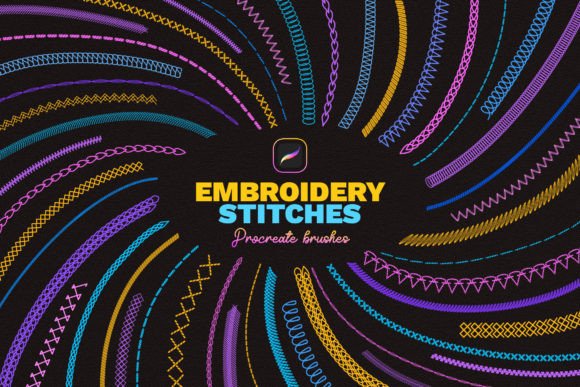
Embroidery Stitches Procreate Brushes
A Designer’s First Look: Texture, Authenticity, and Real-World Fit
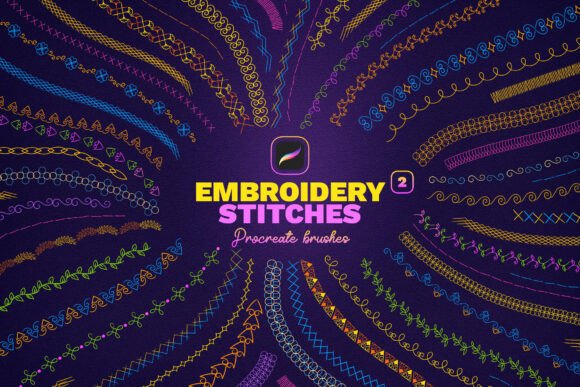
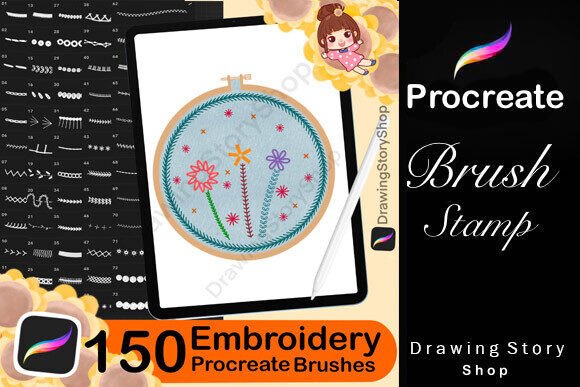
As someone who translates hand-drawn motifs into production-ready machine embroidery designs daily, I approached the Embroidery Stitches Procreate Brushes with cautious optimism. These aren’t just decorative brushes—they’re tools meant to simulate how thread behaves on fabric: the slight irregularity of a hand-stitched running stitch, the plush density of a satin stitch border, the airy rhythm of lazy daisy loops. At first glance, the 40-brush set delivers strong visual authenticity. Each brush has distinct grain, pressure response, and edge behavior—no flat, vector-like uniformity here. That matters when you’re sketching an embroidered patch for a baby blanket or designing a seasonal tote bag where tactile realism builds buyer trust before a single thread is stitched.
Where These Brushes Shine in Real Projects
I tested the Embroidery Stitches Procreate Brushes across several live orders: a floral apron for a local bakery, monogrammed kitchen towels for a bridal shower, and a layered patch set for a children’s apparel line. They excelled most when speed and stylistic cohesion were priorities—especially for concept development and client mockups. Because each brush mimics real stitch types (running stitch, satin stitch, fill stitch), I could quickly block out dense floral borders or delicate vine motifs that looked convincingly stitched—not drawn. That’s invaluable when creating printable mockups for Etsy listings or presenting design options at craft fairs. Buyers respond to visual honesty: seeing a realistic satin stitch outline around a custom sweatshirt logo tells them “this will look handmade, not printed.”
Small Details & Challenging Surfaces: What to Watch For
While the Embroidery Stitches Procreate Brushes render beautifully on screen, remember they’re Graphics, not machine embroidery files. They don’t generate stitch data, auto-digitize, or adjust for hoop size, fabric stretch, or thread tension. So if your project involves tiny lettering on a curved cap surface or dense fill areas on lightweight cotton, treat these brushes as a starting point—not the final output. I sketched a delicate “Welcome” script using the fine running stitch brush for a nursery pillow cover, then digitized it manually. The brush gave me accurate spacing and flow—but I still had to reduce stitch density and add underlay for stability on the knit fabric. Always test on scrap fabric first, especially with textured or dark fabrics where contrast matters.
Supporting Commercial Embroidery Workflows
For small business owners juggling custom apparel, embroidered patches, and boutique merchandise, the Embroidery Stitches Procreate Brushes streamline early-stage design work. Need to show a client three variations of an applique design? Use the satin stitch brush for clean edges, the fill stitch brush for shaded petals, and the textured backstitch brush for subtle outlines—all within one Procreate file. That consistency strengthens brand presentation across product photos and social media. It also helps maintain visual continuity when pairing digital embroidery files with physical handmade products. A well-rendered mockup using these brushes makes your personalized gift or custom apparel feel more intentional, more valuable—even before stitching begins.
Practical Notes Before You Digitize
- Check licensing: Review the Creative Fabrica product page carefully before selling finished items—the license governs how you may use the resulting artwork commercially.
- Confirm file details: Since this is a Brushes pack, not a pre-digitized embroidery file, you’ll need compatible software (like Wilcom, Pulse, or Embrilliance) to convert sketches into stitchable formats.
- Stabilizer & fabric matter: A brush that looks lush on screen may over-stitch thin linen or shift on stretchy jersey. Match stabilizer weight and type to your final fabric—and always test.
- Hoop size awareness: Sketch with your smallest common hoop in mind. A beautiful large-scale motif might need simplification for a 4x4 hoop used on caps or baby onesies.
- Thread color contrast: Render your sketch on both light and dark fabric mockups. Some stitch textures vanish without strong thread-to-fabric contrast—especially fine running stitches.
Impact on Your Handmade Brand & Customer Experience
Using the Embroidery Stitches Procreate Brushes thoughtfully elevates how customers perceive your work. When your Etsy listing shows a photorealistic embroidered patch sketch—not a flat PNG—it signals craftsmanship, attention to detail, and confidence in execution. That builds trust faster than text alone. Likewise, presenting a client with a mockup where satin stitch borders gleam and fill stitches suggest soft dimensionality makes your custom apparel or nursery decor feel more like heirloom-quality handmade product. Even for craft fair displays, having polished digital assets helps your booth stand out—not just your stitched samples, but how cohesively your entire brand story is told.
Final Thoughts for Embroidery Designers & Creative Entrepreneurs
The Embroidery Stitches Procreate Brushes won’t replace digitizing software or eliminate the need for fabric testing—but they do fill a quiet gap: bridging intuitive drawing with authentic embroidery language. If you regularly create embroidery files for tote bags, sweatshirts, baby blankets, or seasonal handmade gifts, these brushes help you think and communicate in stitches from day one. They support better briefs, clearer client conversations, and stronger visual storytelling across your digital and physical offerings. Just remember: they’re a tool for ideation and presentation, not automation. Pair them with disciplined prep—test on scrap, verify stabilizer choices, inspect small details post-stitch—and you’ll turn expressive digital sketches into confident, market-ready embroidery designs.